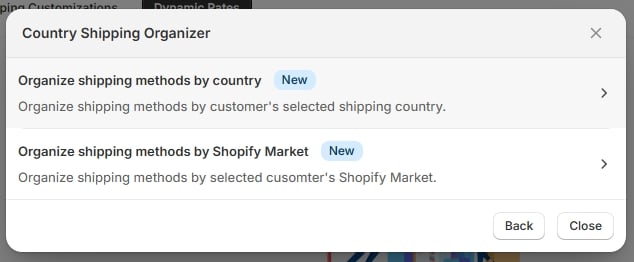
Country rules let you group your shipping zones and decide, per zone, which shipping methods should be hidden, sorted, or renamed. Shipping organizers require the Basic plan — see Choosing a plan. When you create a Country customization, you’re asked whether you want to organize by raw country or by Shopify Market:
Country organizer — by country / by Market
Country organizer — by country / by Market

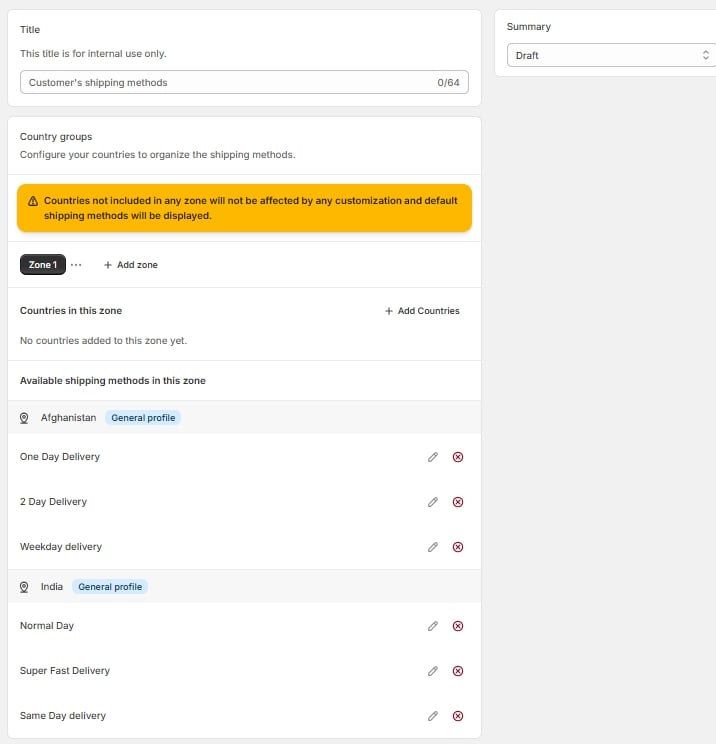
Choosing by country opens the Country mapper, which shows your existing shipping zones alongside a warning if any zone isn’t fully covered.
Country mapper, full page with zone and warning

Country mapper, full page with zone and warning

Working with zones

Zones are managed as tabs across the top of the mapper — add a zone, then assign countries to it.

Zone tab strip with Add zone
Zone tab strip with Add zone

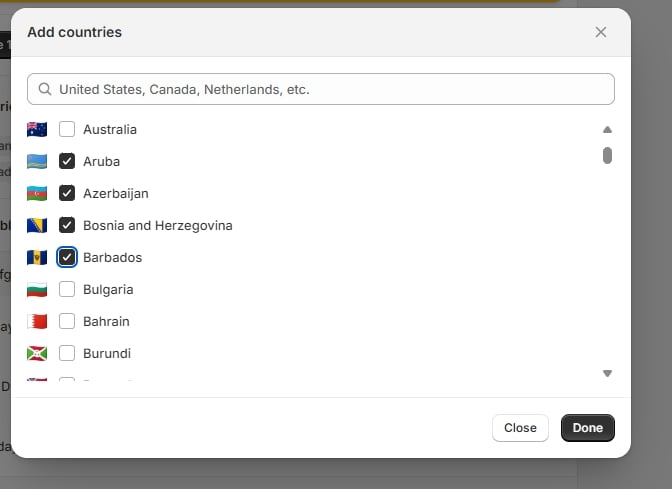
Add countries opens a picker with flags, so you can find countries quickly and confirm you’ve picked the right one.
Add countries modal with flags

Add countries modal with flags

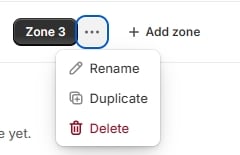
Each zone tab has its own menu for renaming, duplicating, or deleting that zone without affecting the others.
Zone menu — Rename / Duplicate / Delete

Zone menu — Rename / Duplicate / Delete

Once your zones are set up, apply hide/sort/rename actions per zone the same way you would in the Simple or Advanced editors.